
菜单内容(3)
文档版本:1.1.0
组件名:BhtContentThree
描述
菜单内容组件,用于展示第三种内容列表布局。
效果
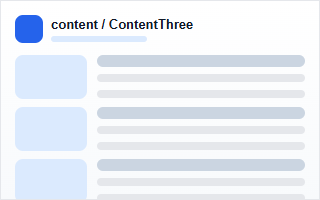
示例
<bht-content-three></bht-content-three>
代码
<bht-content-three :ref="item.id" :item="item"></bht-content-three>
或
<BhtContentThree :ref="item.id" :item="item"></BhtContentThree>
参数
| 参数 | 类型 | 必填 | 默认值 | 说明 |
|---|---|---|---|---|
| item | Object | 否 | - | 组件配置信息。 |
组件配置项
| key | 名称 | 类型 | 默认值 | 说明 |
|---|---|---|---|---|
| noContentShow | 没有内容显示 | string | true | 请输入是否 没有内容显示 |
| titleStyle | 标题样式 | string | font-size: 20px; | 请输入 标题样式 |
| imgStyle | 图片样式 | string | width: 360px; height: 260px; | 请输入 图片样式 |
| contentStyle | 内容样式 | string | line-height: 35px; | 请输入 内容样式 |
| name | 菜单名称 | query | - | 请输入菜单名称 |
| groupName | 分组名称 | query | - | 请输入分组名称 |
| title | 内容标题 | query | - | 请输入内容标题 |
| menuPage.current | 菜单页码 | query | 1 | 请输入 菜单页码 |
| menuPage.size | 菜单条数 | query | 10 | 请输入的菜单条数 |
| contentPage.current | 内容页码 | query | 1 | 请输入 内容页码 |
| contentPage.size | 内容条数 | query | 10 | 请输入的内容条数 |
| orderByColumn | 排序字段 | query | createDatetime | 请输入排序字段 |
| isAsc | 排序方式 | query | desc | 请输入排序方式(可选值:desc、asc |
通用布局配置
| key | 名称 | 类型 | 默认值 | 说明 |
|---|---|---|---|---|
| componentWidth | 组件宽度 | string | 100% | 支持 100%、320px、50vw |
| componentHeight | 组件高度 | string | - | 可选,例如 360px、50vh |
| componentPositionMode | 布局模式 | select | flow | flow、absolute、fixed |
| componentPositionX | X 位置 | string | - | 自由/固定模式,例如 120px |
| componentPositionY | Y 位置 | string | - | 自由/固定模式,例如 80px |
| componentZIndex | 层级 | string | - | 例如 10 |
| componentHorizontalAlign | 水平对齐 | select | center | left、center、right、stretch |
| componentVerticalAlign | 垂直对齐 | select | top | top、middle、bottom、stretch |
| componentLocked | 锁定位置 | select | false | true、false |
| componentRelativeTo | 参照组件 ID | select | - | 可选择其他已有组件的 id 和名称 |
| componentRelativePlacement | 相对位置 | select | - | right、left、bottom、top |
| componentRelativeGap | 相对间距 | string | 12px | 例如 12px |
通用样式配置
| key | 名称 | 类型 | 默认值 | 说明 |
|---|---|---|---|---|
| componentMargin | 外边距 | string | - | 例如 16px 或 12px 24px |
| componentPadding | 内边距 | string | - | 例如 16px 或 12px 24px |
| componentMinWidth | 最小宽度 | string | - | 例如 240px |
| componentMaxWidth | 最大宽度 | string | - | 例如 1200px 或 none |
| componentMinHeight | 最小高度 | string | - | 例如 120px |
| componentMaxHeight | 最大高度 | string | - | 例如 720px 或 none |
| componentBackgroundColor | 背景颜色 | color | - | 例如 #ffffff 或 rgba(255,255,255,.9) |
| componentBackgroundImage | 背景图片 | string | - | 例如 url(https://...) 或 linear-gradient(...) |
| componentBackgroundSize | 背景尺寸 | string | - | 例如 cover、contain、100% 100% |
| componentBackgroundPosition | 背景位置 | string | - | 例如 center、left top |
| componentBackgroundRepeat | 背景重复 | select | - | no-repeat、repeat、repeat-x、repeat-y |
| componentBorderColor | 边框颜色 | color | - | 请选择边框颜色 |
| componentBorderWidth | 边框宽度 | string | - | 例如 1px 或 1px 0 0 |
| componentBorderStyle | 边框样式 | select | - | solid、dashed、dotted、none |
| componentBorderRadius | 圆角 | string | - | 例如 8px 或 12px 12px 0 0 |
| componentBoxShadow | 阴影 | string | - | 例如 0 12px 32px rgba(15,23,42,.12) |
| componentOpacity | 透明度 | string | - | 0 到 1,例如 .95 |
| componentOverflow | 溢出处理 | select | - | visible、hidden、auto、clip |
| componentTextAlign | 文本对齐 | select | - | left、center、right、justify |
| componentColor | 文字颜色 | color | - | 请选择文字颜色 |
| componentBoxSizing | 盒模型 | select | border-box | border-box、content-box |
| componentFilter | 滤镜 | string | - | 例如 blur(2px)、grayscale(1) |
| componentBackdropFilter | 背景滤镜 | string | - | 例如 blur(12px) |
| componentCustomStyle | 自定义 CSS | textarea | - | 例如 transform: translateY(8px); |
引入
import { BhtContentThree } from '@behappyto/cms-ui-vue3'