
BhtContentSnapshot
文档版本:1.0.0
描述
内容快照组件,用于展示菜单与内容摘要。
效果
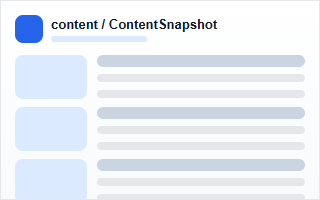
示例
<bht-content-snapshot></bht-content-snapshot>
代码
<bht-content-snapshot :ref="item.id" :item="item"></bht-content-snapshot>
或者
<BhtContentSnapshot :ref="item.id" :item="item"></BhtContentSnapshot>
参数
| 参数 | 类型 | 必填 | 默认值 | 说明 |
|---|---|---|---|---|
| item | Object | 否 | - | 组件配置信息。 |
配置项
item.config.data 支持的常用字段如下:
| key | 名称 | 类型 | 默认值 | 说明 |
|---|---|---|---|---|
| noMenuShow | 显示菜单 | string | true | 请输入是否 显示菜单 |
| titleStyle | 标题样式 | string | font-size: 20px; | 请输入 标题样式 |
| imgStyle | 图片样式 | string | width: 360px; height: 260px; | 请输入 图片样式 |
| contentStyle | 内容样式 | string | line-height: 35px; | 请输入 内容样式 |
| name | 菜单名称 | query | - | 请输入菜单名称 |
| groupName | 分组名称 | query | - | 请输入菜单分组名称 |
| menuPage.current | 菜单页码 | query | 1 | 请输入 菜单页码 |
| menuPage.size | 菜单条数 | query | 4 | 请输入的菜单条数 |
| menuPage.Orders[0].column | 排序字段 | query | createDatetime | 请输入的菜单排序字段 |
| menuPage.Orders[0].asc | 正序排序 | query | true | 请输入菜单是否正序排序 |
| contentPage.current | 内容页码 | query | 1 | 请输入 内容页码 |
| contentPage.size | 内容条数 | query | 10 | 请输入的内容条数 |
| contentPage.Orders[0].column | 排序字段 | query | createDatetime | 请输入的内容排序字段 |
| contentPage.Orders[0].asc | 正序排序 | query | true | 请输入内容是否正序排序 |
引入
import { BhtContentSnapshot } from '@behappyto/cms-ui-vue3'